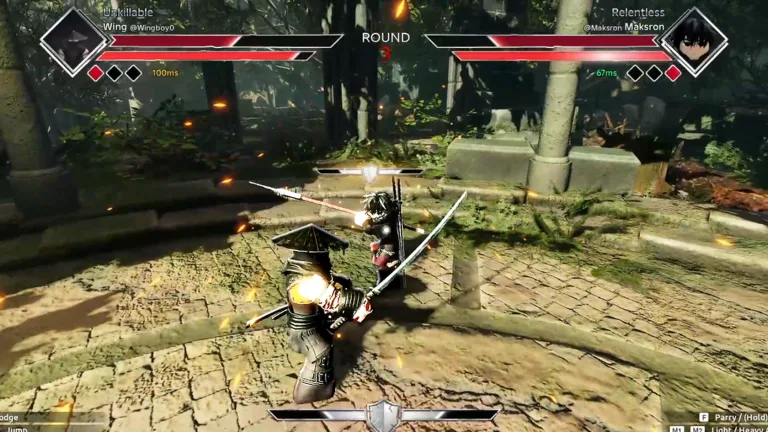
Quick Guide
- Master movement (WASD) and basic attacks (M1/M2) for foundational combat.
- Utilize F to parry (tap) or block (hold) for crucial defense and counter-attacks.
- Employ Q or Shift to dodge, offering temporary invincibility.
- Activate your ultimate ability with your designated key when the bar is full.
- Optimize your playstyle by understanding weapon-specific ranges and timings.
Welcome to the arena of Dueling Grounds on Roblox, where swift reflexes and precise inputs determine victory. Understanding the core Dueling Grounds Roblox controls is the first step toward dominating your opponents. This guide breaks down every essential input, from basic movement to advanced combat techniques, ensuring you can execute your strategies effectively and climb the ranks.
Whether you're a newcomer just learning the ropes or a seasoned duelist looking to refine your mechanics, mastering your controls is paramount. Let's dive into how you can make every action count in the heat of battle.
Mastering the Basic Dueling Grounds Controls
Getting started in Dueling Grounds requires a solid grasp of fundamental inputs. The game offers intuitive controls that allow for dynamic combat, but knowing each key's function is crucial for seamless execution.
Here’s a breakdown of the essential keyboard and mouse controls:
- Movement: Use WASD to move your character around the arena.
- Jump: Press the Spacebar to jump, which can also be combined with attacks.
- Light Attack: Click M1 (Left Mouse Button) for quick, low-damage attacks. These are excellent for initiating combos and pressuring opponents.
- Heavy Attack: Click M2 (Right Mouse Button) for slower, high-damage strikes. Use these to finish combos or punish exposed foes.
- Parry / Block: Tap F to parry an incoming attack, or Hold F to block. Parrying is a high-risk, high-reward move, while blocking offers safer defense.
- Dodge: Press Q or Shift to perform a quick dash, granting temporary invincibility and allowing you to evade attacks or reposition.
- Lock to Enemy: Press M3 (Mouse 3 / Middle Mouse Button) or T to lock your camera onto an opponent, helping you maintain focus during intense duels.
- Mouse Lock: Press Ctrl to toggle mouse lock, which can be useful for camera control or certain movement techniques.
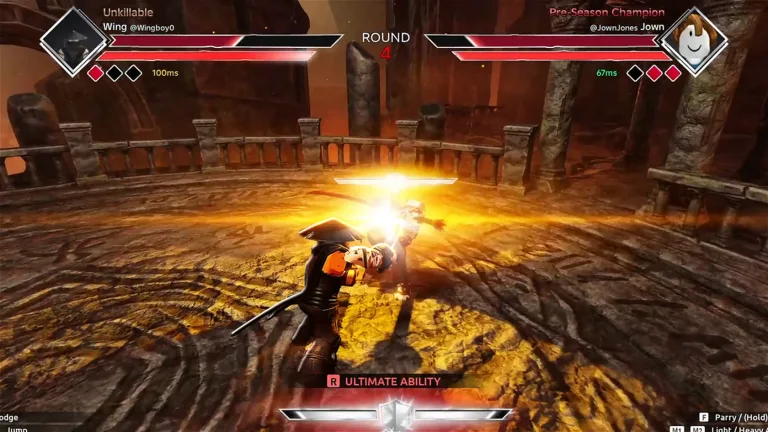
- Ultimate Ability: When your ability bar is full (visible on the top right of your screen), press your designated ability key to unleash a powerful ultimate attack. For gamepad users, this is typically the LB Button.
These controls form the foundation of every fight. Practice them in less intense matches to build muscle memory before challenging tougher opponents.
Essential Combat Mechanics and How to Use Them
Beyond basic inputs, Dueling Grounds features several combat mechanics that elevate gameplay. Understanding how to integrate these into your control scheme is key to becoming a formidable duelist.
Light and Heavy Attacks: The Core of Your Offense
Light attacks are fast and can be chained together, making them ideal for starting combos and keeping pressure on your opponent. Heavy attacks, while slower, deal significant damage and are perfect for ending a combo or punishing an opponent after a successful parry. Be mindful not to spam heavy attacks, as they are easily parried.
Parrying and Blocking: Your Defensive Backbone
Defense is just as important as offense. Tapping F at the precise moment an enemy's attack lands will parry their strike, staggering them and opening them up for a counter-attack. This is a high-risk, high-reward move that can turn the tide of a duel. If you're unsure of the timing, holding F will block most incoming attacks, though it consumes your shield and can still leave you vulnerable to heavy attacks or guard breaks.
Dodging: Evasion and Repositioning
The Q or Shift key for dodging is invaluable. It provides a brief window of invincibility, allowing you to sidestep powerful attacks or escape unfavorable situations. Use it to create space, close gaps, or avoid ultimate abilities.
Ultimate Ability: Your Game-Changing Move
As you land hits and engage in combat, your ability bar (red bar under your health) fills up. Once full, your ultimate ability becomes available. Activating it with your designated key (e.g., LB on gamepad) unleashes a devastating attack that can often secure a kill if timed correctly. Keep an eye on your opponent's ability bar too; if it's full, play defensively to avoid their ultimate.
Practice jump attacks to surprise opponents.
Jumping and attacking simultaneously can catch players off guard, disrupting their rhythm and creating openings for your combos. It's an underutilized technique that can give you a significant edge.
Weapon-Specific Controls and Playstyles
While the basic Dueling Grounds Roblox controls remain consistent, how you apply them changes significantly with your chosen weapon. Each weapon has an optimal range and playstyle that dictates how you should use your attacks and defensive maneuvers.
- Daggers: These are for close-range aggression. Your light attacks are incredibly fast, making them hard to react to up close. Focus on closing the distance with dodges and overwhelming opponents with quick strikes.
- Katana: A balanced mid-range weapon. Your goal is to control the space around you, fighting at the edge of your attack range. Use light attacks for spacing and heavy attacks for punishing mistakes.
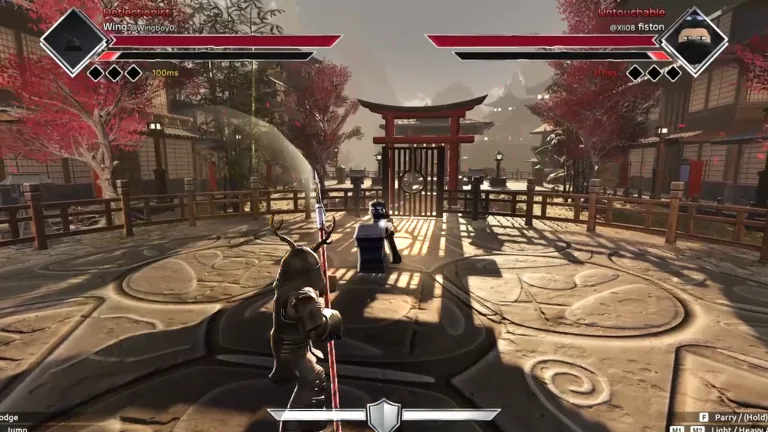
- Naginata: This is a long-range zoning weapon. Your strength lies in keeping opponents at a distance. Use your superior reach to poke and intercept, making them walk into your attacks rather than chasing them.
- Kurasigama (Chain Weapon): Offers variable attack distances and unpredictability. This weapon rewards players who can mix up their timing and range, making it difficult for opponents to read your moves.
- Gauntlet: A close-range brawler, similar to daggers but with potentially stronger combos. It thrives on confident, controlled aggression and quick engagements.
No weapon is universally "best"; success hinges on using your weapon's strengths with precise control and understanding its optimal distance.
Advanced Techniques: Timing and Positioning
Beyond the basic controls, mastering Dueling Grounds involves understanding advanced timing and positional play. These strategies, combined with your command of the controls, will elevate your gameplay.
Optimizing Your Attack Timing
Winning isn't about attacking more, but attacking correctly. Avoid overcommitting to heavy attacks or long combo strings, as these can be easily punished if predicted. Instead, use a "Block First Strategy" as a beginner. Block the initial attack, observe your opponent's pattern, and then punish their predictable follow-ups. This "Delayed Counter Strategy" (Block → Short pause → Attack) prevents your opponent from immediately parrying your retaliation.
Positional Play: Control the Arena
Your movement controls are crucial for positioning. The arena is circular, and controlling the center gives you better movement options and escape angles. Avoid drifting backward towards the edge, as this restricts your movement. If an opponent retreats, don't chase in a straight line; instead, move diagonally to cut off their escape routes. When advancing, do so with your guard ready (small steps, prepared to block) rather than mindlessly sprinting.
By integrating these strategic considerations with your precise control inputs, you'll find yourself winning significantly more duels.
FAQ
What are the basic Dueling Grounds Roblox controls for attacking?
For basic attacks, use M1 (Left Mouse Button) for light attacks and M2 (Right Mouse Button) for heavy attacks. These are your primary offensive inputs in Dueling Grounds Roblox controls.
How do I parry or block in Dueling Grounds?
To parry, tap the F key just as an enemy's attack is about to hit you. To block, hold down the F key. Mastering the timing for parrying is a high-reward skill.
Is there a way to dodge attacks using Dueling Grounds Roblox controls?
Yes, you can dodge by pressing Q or Shift. This provides a brief moment of invincibility, allowing you to evade incoming attacks or quickly reposition yourself during combat.
How do I use my ultimate ability in Dueling Grounds?
Your ultimate ability charges as you land hits. Once the red ability bar under your health is full, you can activate your ultimate by pressing your designated ability key. For gamepad users, this is typically the LB Button.
Can I customize the Dueling Grounds Roblox controls?
While the core controls are standardized, you can often adjust keybinds within Roblox game settings or through external software if needed, though the default setup is generally well-optimized. Always check the in-game settings for customization options.
For more information on the game and its mechanics, you can visit the official Dueling Grounds page on Roblox: Dueling Grounds on Roblox.