Quick Guide
- Dueling Grounds mobile uses an on-screen joystick for movement.
- Dedicated touch buttons handle Jump, Light Attack, Heavy Attack, Block/Parry, and Ultimate abilities.
- Effective use of Jump Attacks and precise Parries is crucial for high-level mobile play.
- Touch controls are optimized for responsive combat, offering a fluid experience on portable devices.
Dueling Grounds delivers intense PvP action within Roblox, and playing on mobile devices offers a unique challenge and opportunity. To truly excel and outmaneuver your opponents on the go, understanding and mastering the Dueling Grounds Roblox mobile controls is paramount. This guide breaks down the touch-based interface, key combat techniques, and strategies to help you become a mobile dueling champion.
Understanding Dueling Grounds Mobile Controls
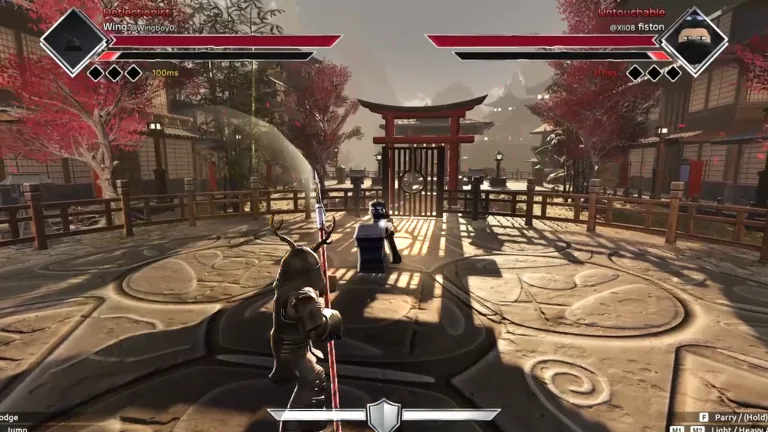
The Dueling Grounds experience on mobile is tailored for touchscreens, providing an intuitive layout that puts all essential actions at your fingertips. Familiarizing yourself with this setup is the first step toward dominating the arena. The game features optimized touch controls designed for responsive combat gameplay, ensuring a smooth experience.
Here’s a breakdown of the core mobile control elements:
- On-screen Joystick: Typically located on the left side of your screen, this virtual joystick allows for precise character movement, including walking, running, and strategic positioning.
- Jump Button: A dedicated button lets you perform jumps, which are vital for aerial attacks and evading incoming damage.
- Light Attack Button: This button executes quick, less powerful attacks, often used for initiating combos or pressuring opponents.
- Heavy Attack Button: For more impactful strikes, the heavy attack button delivers powerful blows that can break through defenses.
- Block/Parry Button: A crucial defensive tool, this button allows you to guard against attacks or perform a well-timed parry to counter-attack.
- Ultimate Button: This special ability button activates your character's ultimate skill, often a game-changing move when used strategically.
Mastering Core Mobile Combat Techniques
Effective use of the mobile controls goes beyond just knowing what each button does. Dueling Grounds emphasizes specific combat techniques that translate directly to your success on a touchscreen.
Jump Attack Mastery on Mobile
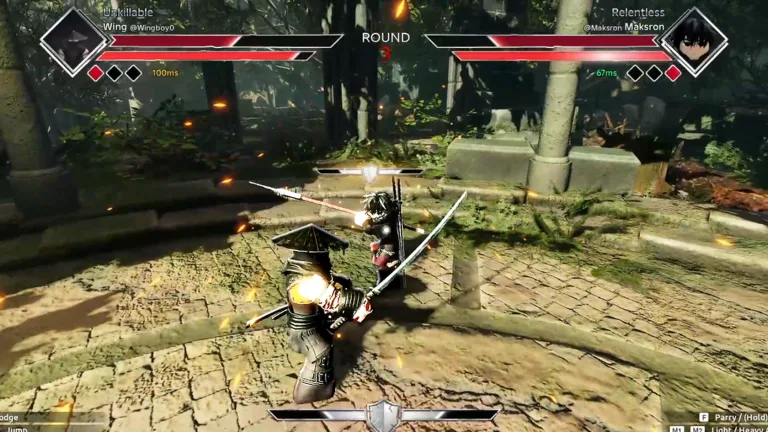
One of the most dominant techniques in Dueling Grounds, the jump attack, is equally effective on mobile. By combining your Jump Button with either your Light Attack or Heavy Attack button mid-air, you can unleash unpredictable offense. Controlling your landing points using the on-screen joystick is key to maintaining pressure or repositioning for your next move. This technique allows for rapid engagement and disengagement, making it a cornerstone of mobile combat.
Precision Parrying with Touch Controls
The parry system is essential for high-level play, turning defense into offense instantly. On mobile, this requires precise timing with the Block/Parry Button. A perfect parry, executed within a 0.1-0.2 second window, allows for a powerful counter-attack. Practicing this timing on your mobile device is crucial, as it can completely shift the momentum of a duel.
Practice your parry timing in less intense matches first.
Mastering the precise 0.1-0.2 second window for a perfect parry can turn the tide of any duel, especially on mobile where timing is everything.
Advanced Tactics for Mobile Duelists
Beyond basic controls, incorporating advanced combat mechanics effectively on mobile can significantly elevate your gameplay.
Ultimate Skill Management
Your ultimate ability, activated via the Ultimate Button, is a powerful tool. On mobile, it's vital to monitor your ultimate meter (the red bar) and your opponent's status. Use your ultimate at critical moments, such as a finisher in a close fight, or when you can catch your opponent off guard. Observing your opponent's ultimate bar helps you avoid being vulnerable to their special move.
Movement and Positioning Advantages
On mobile, your on-screen joystick isn't just for moving; it's for strategic positioning. Effective movement allows you to control the distance between you and your opponent, create openings, and avoid damage. Learning to circle, dash, and bait opponents using your mobile movement controls will give you a significant edge in any duel. Prioritize understanding the flow of combat and how your movement can dictate the pace.
Device Compatibility and Customization
Dueling Grounds is designed to be highly compatible across various devices, with touch controls specifically optimized for mobile and tablet gameplay. While the default layout is effective, players can also configure custom keybinds to their preference if the platform allows it. This flexibility ensures that you can tailor the controls to best suit your personal playstyle and device ergonomics.
For more information and to play Dueling Grounds, visit the official Roblox game page: Dueling Grounds on Roblox.
Frequently Asked Questions
How do I use Dueling Grounds Roblox mobile controls for movement?
Movement in Dueling Grounds on mobile is handled by an on-screen joystick, typically located on the left side of your screen. Simply drag your thumb or finger across the joystick to guide your character.
What are the main attack buttons on mobile?
On mobile, you'll find dedicated touch buttons for both Light Attack (for fast, quick strikes) and Heavy Attack (for powerful, impactful blows).
Can I parry effectively using mobile controls?
Yes, you can parry effectively using the Block/Parry Button on your mobile screen. Success relies on precise timing, aiming for a 0.1-0.2 second window before an incoming attack to perform a perfect parry.
How do I activate my ultimate ability on a mobile device?
Your ultimate ability is activated by pressing the dedicated Ultimate Button on your mobile interface. It's crucial to manage your ultimate meter and deploy this powerful skill strategically for maximum impact.